

So, What's a "Smart Locker"? (It's Not as Sci-Fi as It Sounds)
Forget the flashy name for a second.
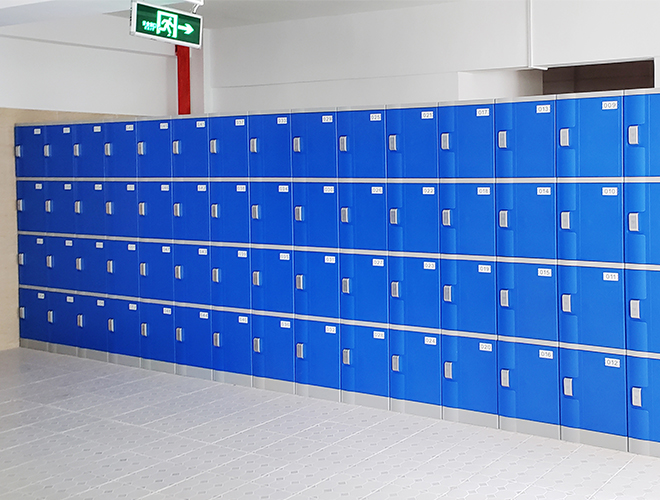
A Smart Locker is just a bank of lockers run by a simple computer instead of a bunch of individual keys. That's the whole concept.
Instead of a key, a person uses something they already have—like their employee ID card, a PIN code, or even an app on their phone—to open a locker. The computer at the center of it all does the thinking. It knows who you are, it assigns you a locker, and it remembers you're the only one who can open it.
When you're done, you tell the system, and that locker is instantly free for the next person.
No keys to lose. No combinations to forget. No spreadsheets for your staff to manage. The system handles all of it, automatically.
It's not about being "high-tech." It's about eliminating stupid, repetitive work. That's what good technology is supposed to do.
It's the "Brain" Behind the Scenes That's the Real Magic
The cool part isn't just the keyless entry. It’s the control it gives you, the administrator.
From a simple website, you can see everything.
You can see exactly which lockers are free and which are being used, right now. No more walking the halls trying to find an empty one.
Someone forgot their ID card? No problem. You can click a button and remotely pop open their locker for them from your desk.
Need to know who opened locker #113 yesterday at 3:15 PM? The system has a perfect, time-stamped log of every single transaction. It’s an incredible security tool.
This is what separates a real smart locker solution from just a locker with a keypad on it. It’s the central intelligence that makes it a powerful management tool, not just a box. We're one of the few smart lockers companies that really focuses on making that backend management software incredibly simple and intuitive.
Think About Where You Could Use This...
This isn't just for office employees anymore. This technology is solving problems everywhere.
Package Deliveries: This is a huge one. A courier walks up, scans a package, and the system opens a locker. The recipient gets a text with a code. They come down and pick it up whenever they want. Your front desk staff never has to touch another package. This is a game-changer for apartment buildings and busy offices.
Hybrid Offices: With people not coming in every day, you don't need a locker for every single employee. A bank of smart storage lockers can be shared. Whoever is in the office that day can grab one. You can serve 200 employees with only 50 lockers.
IT Equipment: Need to give a loaner laptop to an employee at midnight? Your IT tech can put it in a locker from home, and grant that one employee access. The employee picks it up, and the whole thing is logged.
High-Security Areas: We even have options like a face recognition locker. For places where you need absolute certainty about who is accessing what, biometrics are the ultimate answer.
The Practical Questions You're Probably Wondering
"What happens when the power goes out?"
They stay locked. The system is designed to be "fail-secure." Most have a battery backup that will keep them running for hours anyway. And there's always a secret, manual way for an administrator to get them open in a true emergency.
"Is this stuff reliable? I can't have it breaking down."
Yes. This is commercial-grade equipment. The locks, the touchscreens, the computers—they're all built to be used hundreds of times a day in a busy public environment. This isn't consumer electronics.
"Is it secure? Can't someone hack it?"
We use the same kinds of encryption and security protocols that banks use for their online systems. It's incredibly secure. It's certainly more secure than a key that can be lost or a combination that can be written on a sticky note.
"Sounds complicated to install."
It's not. The lockers just need a power outlet and an internet connection (wired or Wi-Fi). That's it.
The Real Payoff Isn't the Technology. It's the Time.
Look, the blinking lights and touchscreens are cool. But that’s not the point.
The point is that your administrative assistant can stop being the "key master" and start doing the work you actually hired her for.
The point is your front desk isn't a chaotic mess of Amazon boxes anymore.
The point is you have a perfect, undeniable record of who accessed what, which is a huge relief for your security team.
You are investing in a system that automates a whole category of annoying, time-wasting problems. You get that time back, forever. And in any business, time is money.
Stop managing keys. It's a waste of a good employee. Let the robots handle it.